{
    "dictName": "DeepL (EN -> UK)",
    "windowUrl": "https://www.deepl.com/en/translator#en/uk/<word>",
     "inputSelector": "#textareasContainer div[contenteditable]",
     "translationPrompt": "<word>"
}

river
@river
The full-stack developer who handles everything -- discovery, development, marketing, and fun.
Best posts made by river
-
DeepL (English -> Ukrainian)posted in Dictionariez Trove
-
Dutch, Greek, Hindi, Persian and much more, Dictionariez V7.1.0posted in Crafting
Hello everyone,
Just a few days after the major release of v7.0, I am back with another update! Dictionariez v7.1.0 is now available, and it is all about breaking language barriers.
 4 New Languages Supported
I heard your feedback loud and clear. You wanted more languages, and I am delivering. This version adds native support for 4 new languages:
 Dutch
Dutch Greek
Greek Hindi
Hindi Persian (Farsi)
This means you can now double-click words in these languages to get instant definitions, pronunciations, and translations. For Persian, I have ensured full Right-to-Left (RTL) support for a seamless reading experience.
 Smarter English Lookup
English is a language that loves to borrow words. Words like café, détente, naïve, or jalapeño are common in English texts but often tripped up the dictionary because of their accents.
In v7.1, I have improved the detection engine. Dictionariez now smartly recognizes these accented words as English when you are reading in an English context, ensuring you get the correct definition without switching languages manually.
 Better Definitions for Polyglots
For learners of German, Spanish, Italian, Japanese, and French, I have tweaked the engine to prioritize Wiktionary results. Previously, Google Dictionary provided definitions in the target language (e.g., German definitions for German words), which could be challenging for beginners. Wiktionary results often include definitions in English, making it much easier to understand the meaning while you are still mastering the language. Don't worry though, if Wiktionary comes up empty, it seamlessly falls back to Google Dictionary to ensure you always get a result.
 ️ Robust & Reliable
I have also added a suite of new automated tests to ensure these new features work perfectly and don't break existing ones. This makes Dictionariez more stable and reliable than ever.
It's now already available on Firefox, and needs a few more days for review on Chrome webstore and Edge addons. Stay tuned!
Update to v7.1.0 asap and keep exploring the world of languages!Happy Learning,
River -
Sesli Sözlükposted in Dictionariez Trove
{ "dictName": "Sesli Sözlük", "windowUrl": "https://www.seslisozluk.net/<word>-nedir-ne-demek/", "css": ".navbar,.sesli-ui-seslilogo {display: none !important;} body {margin-top: 20px !important;}" } -
Turkish Language Association (Türk Dil Kurumu)posted in Dictionariez Trove
{ "dictName": "Turkish Language Association (Türk Dil Kurumu)", "windowUrl": "https://sozluk.gov.tr/?kelime=<word>", "css":"header,.tdk-bnr {display: none !important;} body {margin-top: 70px !important;}" } -
Laban.vnposted in Dictionariez Trove
{ "dictName": "Laban.vn", "windowUrl": "https://dict.laban.vn/find?query=<word>", "css":"#header {display: none !important;} body .laban_tudien {margin-top: 0 !important; padding-top: 60px !important;} body .wrapper { width: auto; padding-left: 10px;} .wrapper .input_area {width: 360px;} .input_area .input_box { width: 150px;}" } -
WordReference (English - Portuguese)posted in Dictionariez Trove
{ "dictName": "WordReference (English - Portuguese)", "windowUrl": "https://www.wordreference.com/enpt/<word>", "css": "header, body #ad1 { display: none !important;} body { margin-top: 50px !important;}" } -
Thaitux (Thai)posted in Dictionariez Trove
{ "dictName": "Thaitux (Thai)", "windowUrl": "https://www.thaitux.info/dict/?words=<word>", "css": ".header, .search_box {display: none;} .head {margin-top: 10px;}" } -
jisho (Japanese)posted in Dictionariez Trove
{ "dictName": "jisho (Japanese)", "windowUrl": "https://jisho.org/search/<word>", "css": ".row.collapse {display: none;} #page_container {margin-top:35px;}" } -
DeepL (Ukrainian -> English)posted in Dictionariez Trove
{ "dictName": "DeepL (UK -> EN)", "windowUrl": "https://www.deepl.com/en/translator#uk/en/<word>", "inputSelector": "#textareasContainer div[contenteditable]", "translationPrompt": "<word>" } -
Gemini Definitionposted in Dictionariez Trove
This dict only works with Dictionariez v5.1.4 and above, and SidePal v1.0.1 and above.
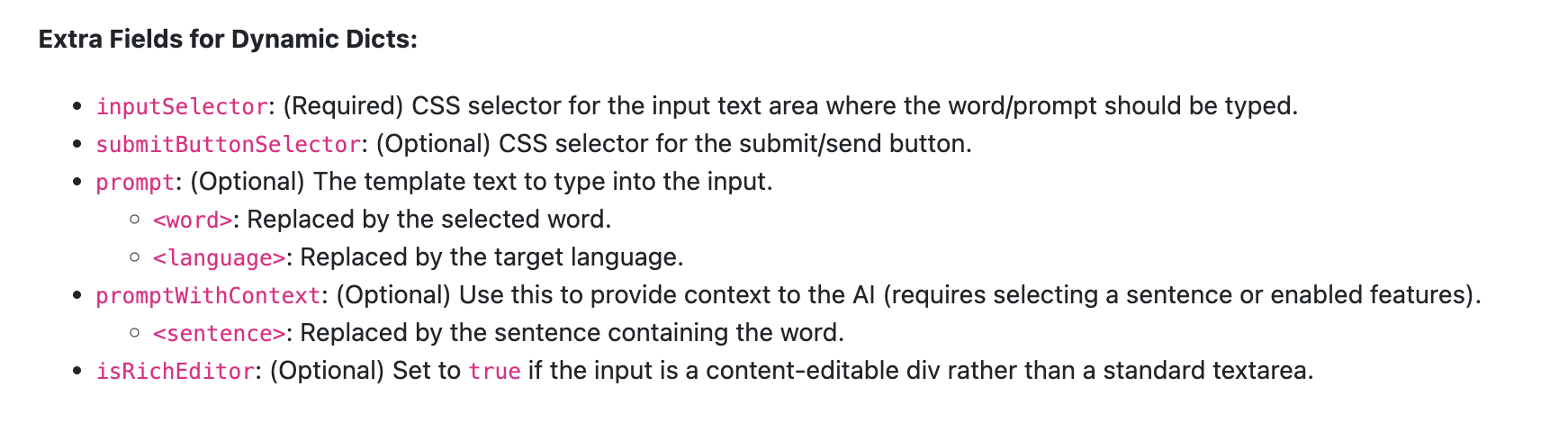
Make sure you have the newest Dictionariez or SidePal installed.{ "dictName": "Gemini Definition", "prompt": "Give me the full definitions of \"<word>\"<language>, if possible try to include IPA, definitions each with at least two examples, etymology, conjugations, related words with explanations etc. And make a pretty output with formatting like bold, italics etc.", "promptWithContext": "Give me the full definitions of \"<word>\"<language>, which is used in the context \"<sentence>\", if possible try to include IPA, definitions each with at least two examples, etymology, conjugations, related words with explanations etc. And make a pretty output with formatting like bold, italics etc.", "windowUrl": "https://gemini.google.com/app", "inputSelector": "chat-window .textarea[contenteditable]", "isRichEditor": true, "submitButtonSelector": "chat-window button.send-button" }
Latest posts made by river
-
RE: Add skip or change wordposted in Feedback
Awesome. I would never know it has that much of impact without your feedback. So thank you.
Which website and novel are you reading by the way?Also, I am wondering, do you like the themes of PNL Reader's selection? Which one do you like the best? For me it's the
Nordic Darktheme I added in the last version.Which TTS Character do you like to use (Luna, Owen, Mona, Bob, Kaylee or Vincent)?
Thanks again. These are valuable feedback to me, as for I can keep improving the product, start making some good impact to all learners in the world

-
RE: Add skip or change wordposted in Feedback
@wkhn66
Thank you, glad to hear that the new features work for you. If you spot any issues, don't hesitate to tell me.
Yeah, mobile app is in my roadmap, though probably I will start with Dictionariez, which I already have got a good picture in my mind. For PNL Reader, I am not really sure what to do with an app, as it's simply just a prettifier running on other websites, right? So probably it still needs to be a browser?Anyway, thanks for the suggestions. Would you mind to leave PNL Reader a review on the webstore? It can really help. Or star it on github if you have an account...
-
Site Customization - NovelFull Chaptersposted in Reader Trove
NovelFull Chapters
URL Match:
https://novelfull.com/[^/]+/[^/]+\.html$Configuration
{ "name": "NovelFull Chapters", "urlMatch": "https://novelfull.com/[^/]+/[^/]+\\.html$", "article": { "content": "#chapter-content", "excludes": [ "div" ], "title": "a.chapter-title" } } -
Site Customization - Wattpad Storiesposted in Reader Trove
Wattpad Stories
URL Match:
https://www.wattpad.com/\d+.*Configuration
{ "name": "Wattpad Stories", "urlMatch": "https://www.wattpad.com/\\d+.*", "article": { "content": ".page pre", "excludes": [ ".component-wrapper" ] }, "navigation": { "next": "#story-part-navigation a" } } -
RE: Add skip or change wordposted in Feedback
@wkhn66
Hi, good news to share with you. I have released PNL Reader v2.8.0, which has the fix for:- Smarter pauses for decorative dividers like ~~~ or *** that authors use between sections.
- Auto scroll mode for when you use "read whole page".
- Better content extraction for your favorite novel site novelfull.com, have you noticed?
For the annotation-based dialogue instruction system, I need to dig into this deeper. But at least I took inspiration from the AI tool you recommended, and upgraded the prompt for the AI characters in PNL Reader to have smarter emotion detections, give it a try, see if it has improved a bit
There is much more update with v2.8.0, check it out here:
https://pnl.dev/topic/1078/pnl-reader-v2-8-0-customize-the-reader-for-your-favorite-sitesThank you again for your valuable feedback!
-
PNL Reader v2.8.0: Customize the Reader for Your Favorite Sitesposted in Crafting
Hey friends! I'm excited to share v2.8.0 with you. This update is all about you taking control. Let me explain.
The Problem
You know that feeling when PNL Reader doesn't work well on your favorite website? Maybe it grabs the wrong content, or the comments look weird. Before, you had to wait for me to fix it. That's slow. And honestly, you know your favorite sites better than I do!
The Solution: Site Customization
Now you can customize PNL Reader for any website. I added a new Site Customization page where you can:
- Craft your own configurations — tell the reader exactly which parts of the page to grab
- Manage all your customizations in one place — edit, delete, or see where they came from
- Share your work with others at Reader Trove
Yes, sharing! If you make a great configuration for a popular site, why keep it to yourself? One click sends it to our community forum. And if someone else already made one? You can add it to your reader directly from the Reader Trove. No copy-paste needed.
Reddit: An Experiment
I spent a lot of time on Reddit support. Like, a lot. Reddit is tricky — comments live in shadow DOM, there are profile badges everywhere, and images hide in carousels. I tried my best to make it look decent.
Now PNL Reader can:
- Show the full comment tree with proper threading
- Display image posts and gallery carousels correctly
- Hide those annoying profile badges and flairs
- Make the "more comments" button actually look nice
Is it perfect? Probably not. Reddit keeps changing things, and every subreddit has its own quirks. But here's the good news: with the new Site Customization feature, you can improve it! My Reddit config is just a starting point. If you find a better way to style comments or grab content, share it with the community. I'd love to learn from you.
Better TTS Experience
Two small but nice improvements for listening:
-
Auto scroll — When you use "read whole page," the screen now follows along. No more losing your place!
-
Smarter pauses — Those decorative dividers like
~~~or***that authors use between sections? The reader now pauses there instead of trying to pronounce them. Much better.
Fixes, Fixes, Fixes
I also fixed a bunch of small things:
- Fonts now look correct on all sites (some sites had weird sizing)
- Dark theme checkboxes are visible again
- NovelFull navigation works properly
- Mobile theme selector doesn't overflow anymore
Try It Out
Update to v2.8.0 and check out the new Site Customization page. It's in the extension menu under settings.
Made a cool customization? Share it at Reader Trove! I'd love to see what sites you're reading.
Happy reading!

-
Site Customization - Reddit Posts and Commentsposted in Reader Trove
Finally got Reddit working in PNL Reader. Shadow DOM, nested comments, hidden images, seems Reddit really doesn't want you to read it peacefully.
Here's my config if you want to try (or improve it!)
I know it's far from perfect , and this is likely gonna change a lot in the future, so keep yourself updated
 Reddit Posts and Comments
URL Match:
https://www.reddit.com/r/\w+/comments/\w+/.*Configuration
{
  "article": {
    "byline": "shreddit-post a[href*='/user/']",
    "content": [
      "shreddit-post [slot=\"text-body\"]",
      "shreddit-post [slot=\"post-media-container\"] img#post-image",
      "shreddit-post gallery-carousel img.media-lightbox-img",
      "shreddit-comment-tree > shreddit-comment"
    ],
    "excludes": [
      "shreddit-post-overflow-menu",
      "faceplate-dropdown-menu",
      "award-button",
      "shreddit-post-share-button",
      "shreddit-async-loader",
      "shreddit-comment-action-row"
    ],
    "publishedTime": "shreddit-post faceplate-timeago time",
    "title": "shreddit-post [slot=\"title\"]"
  },
  "name": "Reddit Posts and Comments",
  "urlMatch": "https://www.reddit.com/r/\\w+/comments/\\w+/.*"
}
Custom CSS
/* Variables - use full selector so it's skipped by auto-prefix */ #PNLReaderArticle { --reddit-author: var(--pico-primary); --reddit-meta: var(--pico-muted-color); } /* Post images */ img { max-width: 100%; border-radius: 8px; margin: 1em 0; height: auto !important; position: static !important; transform: none !important; opacity: 1 !important; object-fit: contain !important; } /* Main post image */ img#post-image, img.media-lightbox-img { display: block; max-width: 100%; width: auto; max-height: 80vh; margin: 1.5em auto; border-radius: 8px; box-shadow: 0 2px 8px rgba(0, 0, 0, 0.1); } a { word-break: break-word; text-decoration-thickness: 1px; text-underline-offset: 2px; } /* First div separator - use full selector */ #PNLReaderArticle > div:first-child { padding-bottom: 1.5em; margin-bottom: 2em; border-bottom: 1px solid var(--pico-muted-border-color); } /* Comments styling */ shreddit-comment { display: block; padding: 0.5em 0 0.5em 1em; border-left: 1px dashed var(--pico-muted-border-color); margin: 0.5em 0; border-radius: 0; transition: border-color 0.2s; } shreddit-comment:hover { border-left-color: var(--pico-secondary); } shreddit-comment[depth="0"] { border-left-width: 1px; border-left-style: dashed; border-left-color: var(--pico-secondary); margin-top: 1em; padding-top: 0.75em; } shreddit-comment[depth="1"] { margin-left: 0.5em; } shreddit-comment[depth="2"] { margin-left: 1em; opacity: 0.95; } shreddit-comment[depth="3"] { margin-left: 1.5em; opacity: 0.9; } /* Override comment content line height */ shreddit-comment p, .tts-speaker-icon { line-height: var(--pnl-reader-line-height) !important; } /* Author links */ a[href*="/user/"] { color: var(--reddit-author); font-weight: 600; text-decoration: none; } a[href*="/user/"]:hover { text-decoration: underline; } /* Timestamps */ time, faceplate-timeago { font-size: 0.85em; color: var(--reddit-meta); margin-left: 0.5em; } shreddit-comment blockquote { border-left: 2px solid var(--pico-muted-border-color); padding-left: 1em; color: var(--reddit-meta); font-style: italic; } /* Avatars - Reddit uses SVG <image> not <img> */ [slot="commentAvatar"] { display: inline-block; vertical-align: middle; margin-right: 0.5em; } [slot="commentAvatar"] rpl-hovercard, [slot="commentAvatar"] faceplate-tracker { display: inline-flex; align-items: center; } /* Hide decorative avatar frames/badges (keep only svg with actual image) */ [slot="commentAvatar"] svg:not(:has(image)) { display: none !important; } [slot="commentAvatar"] svg:has(image) { width: 32px !important; height: 32px !important; border-radius: 50%; overflow: hidden; } [slot="commentAvatar"] [rpl][avatar] { width: 32px !important; height: 32px !important; } [slot="commentAvatar"] .fp-avatar-container, [slot="commentAvatar"] .snoovatar { width: 32px !important; height: 32px !important; min-width: 32px !important; min-height: 32px !important; } /* Hide hover card content */ [slot="commentAvatar"] [slot="content"] { display: none !important; } img[alt*="avatar"], faceplate-img { width: 32px !important; border-radius: 50% !important; margin: 0 0.5em 0 0 !important; vertical-align: middle; display: inline-block; } /* Hide unwanted elements */ shreddit-comment-action-row, [slot="actionRow"], [slot="awardsRow"], [slot="commentActionRow"], faceplate-dropdown-menu, shreddit-overflow-menu, [slot="post-media-container"] video, [slot="next-reply"] { display: none !important; } /* "More replies" button - style as link */ button:has(faceplate-tracker) { all: unset !important; background: none !important; border: none !important; padding: 0 !important; margin: 0.5em 0 !important; cursor: pointer; color: var(--pico-muted-color); font-size: 0.85em !important; font-weight: normal !important; display: inline-flex !important; align-items: center; gap: 0.25em; width: auto !important; height: auto !important; line-height: 1.4 !important; } button:has(faceplate-tracker):hover { text-decoration: underline; color: var(--pico-primary); background: none !important; } button:has(faceplate-tracker) svg { margin-right: 5px !important; } button:has(faceplate-tracker) span { font-size: inherit !important; } /* Clean up comment internal structure */ details { display: block; } details > summary { display: flex; flex-direction: row; align-items: center; gap: 0.5em; margin-bottom: 0.5em; list-style: none; cursor: default; } details > summary > div { display: inline-flex; align-items: center; } details > summary::-webkit-details-marker { display: none; } /* Comment meta (author + timestamp) */ [slot="commentMeta"] { display: inline-flex; align-items: center; gap: 0.5em; flex-wrap: wrap; } /* Hide thread lines and collapse buttons */ [data-testid="main-thread-line"], button[aria-label="Toggle Comment Thread"], button[aria-controls="comment-children"], details[role="article"][open] { display: none !important; } /* Reset grid layout to simple block */ details > div { display: block !important; } .contents { display: contents; } /* Hide empty structural divs */ div[aria-hidden="true"] { display: none !important; } /* Extracted top-level comments (from shadow DOM) */ [slot="comment"], div[id$="-comment-rtjson-content"] { display: block; padding: 0.5em 0; border-left: 1px dashed var(--pico-secondary); padding-left: 1em; } -
How to add site customization to PNL Readerposted in Reader Trove
How to Customize a site
Site customization lets you tell PNL Reader exactly how to extract content from any website. When the default reader mode doesn't work well on a site, you can create your own configuration.
Getting Started
- Open PNL Reader extension menu
- Click Site Customization in the settings dropdown
- Fill in the form and click Save Customization
Configuration Schema
Here's what each field does:
Required Fields
nameA friendly name for your customization. This helps you identify it later.
Example: "Reddit Posts and Comments"urlMatchA URL pattern to match. Can be a simple string or a regular expression.
Simple string (easiest):
"https://example.com/articles/"This matches any URL that contains
https://example.com/articles/.Regular expression (more powerful):
"https://www.reddit.com/r/\\w+/comments/\\w+/.*"This matches any Reddit post URL using regex patterns.
Regex tips (optional):
- Use
\\d+to match numbers - Use
[^/]+to match any characters except/ - Use
.*to match anything - Escape special characters like
.with\\.
Article Settings (Optional)
These fields tell PNL Reader where to find the article content.
article.contentCSS selector(s) for the main content. This is the most important field.
Single selector: "#chapter-content"
Multiple selectors: [".post-body", ".comments"]
When you use multiple selectors, content from all matching elements is combined in order.
article.titleCSS selector for the article title.
Example: "h1.post-title"article.bylineCSS selector for author information.
Example: "a[href*='/user/']"article.publishedTimeCSS selector for the publish date/time.
Example: "time[datetime]"article.excludesCSS selectors for elements to remove from the content. Useful for hiding ads, share buttons, or other clutter.
Example: [".ads", ".share-buttons", ".sidebar"]
Navigation Settings (Optional)
Enable previous/next page navigation for multi-page articles.
navigation.previousCSS selector for the "previous page" link.
Example: "a.prev-chapter"navigation.nextCSS selector for the "next page" link.
Example: "a.next-chapter"
Custom CSS (Optional)
cssAdd custom styles for the extracted content. These styles are applied in reader mode.
/* Style comments */
.comment {
  border-left: 2px dashed var(--pico-muted-border-color);
  padding-left: 1em;
  margin: 1em 0;
}

/* Highlight author names */
.author {
  font-weight: bold;
  color: var(--pico-primary);
}
Available CSS variables:
--pico-primary- Primary accent color--pico-muted-color- Muted text color--pico-muted-border-color- Muted border color--pico-background-color- Background color--pnl-reader-line-height- Current line height setting
Examples
Simple Example: NovelFull
{
  "name": "NovelFull Chapters",
  "urlMatch": "https://novelfull.com/[^/]+/[^/]+\\.html$",
  "article": {
    "content": "#chapter-content",
    "title": "a.chapter-title",
    "excludes": ["div"]
  }
}
Complex Example: Reddit
For a more advanced example with custom CSS styling, see Site Customization - Reddit Posts and Comments.
How to Find the Right Selectors
- Open the website you want to customize
- Right-click on the content you want to extract
- Click Inspect to open Developer Tools
- Look at the HTML structure and find unique selectors
Tips:
- Use IDs when available (
#main-content) - Use class names (
.article-body) - Use attribute selectors (
[data-type="post"]) - Combine selectors for specificity (
article .content p)
Share Your Customization
Made a great customization? Share it with the community!
- Fill in your configuration in the Site Customization page
- Click Share at pnl.dev
- Review and submit your post
Your configuration will be available at Reader Trove for others to use.
Formatting tips:
When sharing, your configuration is wrapped in a JSON code block. If you have custom CSS, it's better to put it in a separate CSS code block rather than inline in the JSON. This makes it easier to read and edit:
### Configuration

```json
{
  "name": "My Site",
  "urlMatch": "https://example.com/",
  "article": {
    "content": ".article-body"
  }
}
```

### Custom CSS

```css
.comment {
  border-left: 2px solid #ccc;
  padding-left: 1em;
}
```
The Share at pnl.dev button does this automatically for you.
Need Help?
Creating customizations can be tricky. Don't hesitate to:
- Ask questions at pnl.dev/category/3/feedback
- Browse existing configurations at Reader Trove
- Report issues if something doesn't work as expected
The community is here to help. Every question helps improve PNL Reader for everyone.
Happy reading!
-
RE: Add skip or change wordposted in Feedback
Thank you for all the feedback. This is super valuable.
The only feature missing is an auto-scroll option.
Yeah, it's in my plans for the next version.
To improve this, I suggest introducing a simple annotation-based dialogue instruction system that ...
I’m not sure. This system seems to require calibration on the website itself, it can't be done via the PNL Reader alone, right? Do you know of any websites already using it?
It looks very interesting and well-organized. If this system is being used on any website, I’d definitely like to integrate it. It would be a significant improvement.
-
RE: Deepseek - definitionposted in Dictionariez Trove
Hi, thanks for adding DeepSeek to the Dictionariez Trove!
I updated a few fields in the markdown to get it working. Please give it a try, see if it works for you as well.
The main issue was the property name: it should be
promptrather thandeepseekPromptorchatgptPrompt, according to the contribution guide: How to add a new dictionary to the trove.I also updated the
submitButtonSelector. DeepSeek’s website uses a fairly obscured selector that might be unstable, so I’ll look into a more robust way to optimize this later.Thanks again for the contribution!